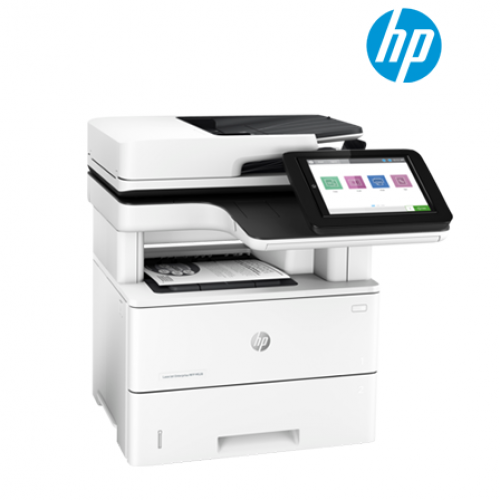
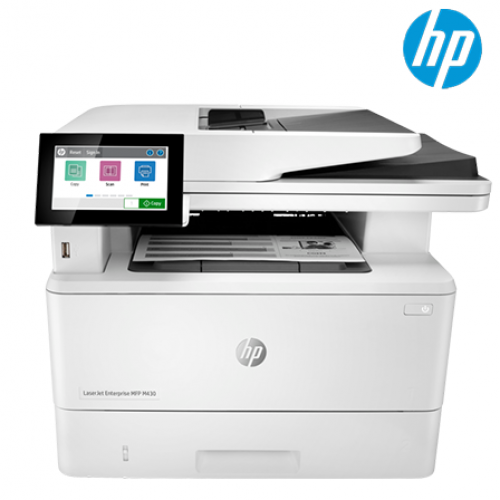
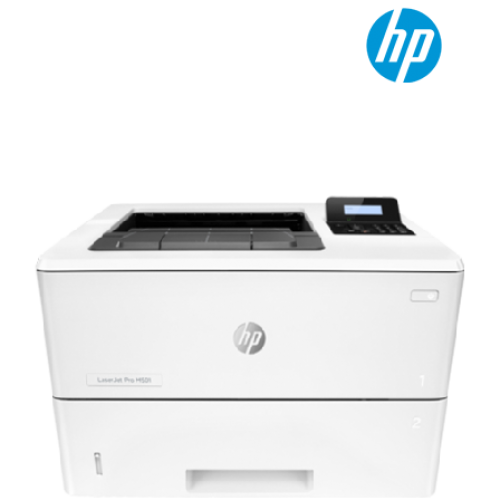
| รุ่น | HP LaserJet Enterprise MFP M528dn Printer (1PV64A) | | ฟังก์ชัน | ฟังก์ชัน
พิมพ์ คัดลอก สแกน | | สเปซิฟิเคชันการพิมพ์ | ความเร็วพิมพ์สีดำ (ISO, A4)
สูงสุด 43 ppm14
ความเร็วพิมพ์แบบสองหน้า (A4)
สูงสุด 34 ipm
หน้าแรกออกสีดำ (A4, พร้อม)
เร็วถึง 6 วินาที
วัฏจักรการใช้งาน (รายเดือน, A4)
สูงสุด 150,000 หน้า
ปริมาณหน้าเดือนที่แนะนำ
2000 ถึง 75006
จำนวนผู้ใช้
5-15 Users
เทคโนโลยีการพิมพ์
Laser
คุณภาพการพิมพ์สีดำ (ดีที่สุด)
สูงสุด 1200 x 1200 dpi
ความเร็วตัวประมวลผล
1.2 GHz
ภาษาการพิมพ์
HP PCL 6, HP postscript level 3 emulation, native PDF printing (v 1.7), Apple AirPrint™
หน้าจอ
8.0 in (20.3 cm), touchscreen (1024x768), LCD (color graphics), smooth gesture, enabled touchscreen
สีการพิมพ์
ไม่ใช่
จำนวนตลับหมึกพิมพ์
1 (สีดำ)
เซนเซอร์กระดาษอัตโนมัติ
ไม่ใช่
สามารถใช้งานกับ Mac
ใช่
การจัดการเครื่องพิมพ์
HP Printer Assistant; HP Device Toolbox; HP Web JetAdmin Software; HP JetAdvantage Security Manager; HP SNMP Proxy Agent; HP WS Pro Proxy Agent; Printer Administrator Resource Kit for HP Universal Print Driver (Driver Configuration Utility - Driver Deployment Utility - Managed Printing Administrator)
การจัดการความปลอดภัย
Identity management: Kerberos authentication; LDAP authentication; 1000 user PIN codes; optional HP and 3rd party advanced authentication solutions (e.g.; badge readers); Network: IPsec/firewall with Certificate; Pre-Shared Key; and Kerberos authentication; Supports WJA-10 IPsec configuration Plug-in; 802.1X authentication (EAP-PEAP; EAP-TLS); SNMPv3; HTTPS; Certificates; Access Control List; Data: Storage Encryption; Encrypted PDF & Email (uses FIPS 140 validated cryptographic libraries from Microsoft); Secure Erase; SSL/TLS (HTTPS); Encrypted Credentials; Device: Security lock slot; USB port disablement; hardware integration pocket for security solutions; Intrusion Detection with Red Balloon Security Technology - Constant in-device monitoring for attacks; SureStart Secure Boot - BIOS Integrity Checking with self-healing capability; Whitelisting - loads only known good code (DLLs, EXEs, ...); Connection Inspector - helps ensure network connections to device are safe, Security management: Compatible with HP JetAdvantage Security Manager, HP Printer Security Plugin for Microsoft SCCM, Device Security Syslog Messages processed and accessable in ArcSight, Splunk, and McAfee(ESM) SIEMs
แบบอักษรและตัวเรียง105 internal TrueType fonts scalable in HP PCL, 92 internal scalable fonts in HP postscriopt Level 3 emulation (Euro symbol built-in); 1 internal Unicode Fonts (Andale Mono World Type); 2 Internal Windows Vista 8 Fonts (Calibri, Cambria);additional font solutions available via third-party flash memory cards; HP LaserJet Fonts and IPDS Emulation available at Http://www.hp.com/go/laserjetfonts | | การเชื่อมต่อ | ความสามารถในการพิมพ์จากอุปกรณ์เคลื่อนที่
Apple AirPrint™; Google Cloud Print™; HP ePrint; Mopria™ Certified; Roam capable for easy printing5
ความสามารถแบบไร้สาย
ทางเลือก สามารถใช้ได้เมื่อซื้อแอกเซสเซอรี่ฮาร์ดแวร์ไร้สายต่างๆ Single band Wireless Station และ Wi-Fi Direct functionality available with HP Jetdirect 3000w NFC/Wireless Accessory J8030A, Dual band Wireless Station และ Wi-Fi Direct functionality available with HP Jetdirect 3100w BLE/NFC/Wireless Accessory 3JN69A, Dual band Wireless Station functionality available with HP Jetdirect 2900nw Print Server J8031A
การเชื่อมต่อ มาตรฐาน1 Hi-Speed Device USB 2.0; 2 Hi-Speed USB 2.0 Host; 1 Gigabit Ethernet; 1 Hardware Integration Pocket
การเชื่อมต่อ ทางเลือก
HP Jetdirect 2900nw Print Server J8031A; HP Jetdirect 3000w NFC/Wireless Accessory J8030A; HP Jetdirect 3100w BLE/NFC/Wireless Accessory 3JN69A
ความต้องการของระบบขั้นต่ำ2 GB available hard disk space, Internet connection, USB port, Internet browser. For additional OS hardware requirements see microsoft.com
ความต้องการของระบบขั้นต่ำสำหรับ Macintosh
2 GB available hard drive space, Internet connection หรือ USB port, OS hardware requirements see apple.com
ระบบปฏิบัติการที่เข้ากันได้
Windows Client OS (32/64 bit), Win10, Win8.1, Win 8 Basic, Win8 Pro, Win8 Enterprise, Win8 Enterprise N, Win7 Starter Edition SP1, UPD Win7 Ultimate, Mobile OS, iOS, Android, Mac, Apple® macOS Sierra v10.12, Apple® macOS High Sierra v10.13, Apple® macOS Mojave v10.14, Discrete PCL6 Printer Driver, For more information on the supported operating systems go to http://support.hp.com, Enter your product name and search, Click on User Guides and enter your product name and search for User Guide, Search for your (Product Name) User Guide, Search for the Supported Operating Systems section, UPD PCL6 / PS Printer Drivers, Supported Operating systems, For more information on the supported operating systems see www.hp.com/go/upd
ระบบปฏิบัติการเครือข่ายที่เข้ากันได้
Windows Server 2008 R2 64-bit, Windows Server 2008 R2 64-bit (SP1), Windows Server 2012 64-bit, Windows Server 2012 R2 64-bit, Windows Server 2016 64-bit, Failover Cluster 2008 R2, Failover Cluster 2012 R2, Terminal server 2008 R2, Remote Desktop server 2012 R2, Citrix Server 6.5, Citrix XenApp & XenDesktop 7.6, Novell iPrint server, Citrix Ready Kit Certification Up to Citrix Server 7.18 for more information see http://citrixready.citrix.com, Linux For more information see http://developers.hp.com/hplinuximagingandprinting, Unix For more information see http://hp.com/go/unixmodelscripts, UPD PCL6 / PS Printer Drivers, Supported for Compatible Network Operating systems please see http://hp.com/go/upd | | ข้อมูลจำนวนหน่วยความจำ | หน่วยความจำ
1.25 GB (printer); 500 MB (Scanner)
หน่วยความจำสูงสุด
2.75 GB MAX memory, when Accessory DIMM is installed
ช่องหน่วยความจำ
1 slot, 144-pin, SODIMM | | การจัดการกระดาษ | การจัดการกระดาษ อินพุต มาตรฐาน
100-sheet multipurpose Tray 1, 550-sheet input Tray 2, automatic duplex printing
การจัดการกระดาษ อินพุต ทางเลือก
Optional 550-sheet tray (add up to 3 trays)
ความจุอินพุตUp to 650 sheets
ความจุอินพุตสูงสุด (sheets)
Up to 2300 sheets
การจัดการกระดาษ เอาท์พุต มาตรฐาน
250-sheet output bin
ความจุเอาท์พุตUp to 250 sheets
ความจุเอาท์พุตสูงสุด (sheets)
Up to 250 sheets
การจัดการเอาท์พุตสำเร็จรูปSheetfed
การพิมพ์สองหน้า
Automatic (standard)
ถาดกระดาษ มาตรฐาน
2
ถาดกระดาษ สูงสุด
5
ที่ป้อนซองจดหมาย
No
ความจุอินพุตสูงสุด (ซองจดหมาย)
Up to 10 envelopes
ขนาดสื่อที่รองรับ
Tray 1: A4, A5, A6, RA4, B5 (JIS), B6 (JIS), 10 x 15 cm, Oficio (216 x 340), 16K, postcards (JIS single and double), envelopes (B5, C5, C6, DL); Tray 2: A4, A5, A6, RA4, B5 (JIS), B6 (JIS), Oficio (216 x 340), 16K, postcards (JIS double); Optional 550-sheet Tray: A4, A5, A6, RA4, B5 (JIS), B6 (JIS), Oficio (216 x 340), 16K, postcards (JIS double); Optional Automatic Duplexer: A4, RA4, Oficio (216 x 340)
ขนาดสื่อ กำหนดเอง
Tray 1: 76.2 x 127 to 215.9 x 355.6 mm; Tray 2: 105 x 148 to 215.9 x 355.6 mm; Optional 550-sheet Tray: 105 x 148 to 215.9 x 355.6 mm
ประเภทสื่อ
Paper (bond, color, letterhead, plain, preprinted, prepunched, recycled, rough); envelopes; labels; cardstock; transparencies; user-defined
น้ำหนักสื่อ ที่รองรับ
Tray 1: 60 to 199 g/m²; tray 2+: 60 to 120 g/m² | | สแกนเนอร์ | ประเภทสแกนเนอร์
Flatbed, ADF
รูปแบบไฟล์การสแกน
PDF, JPEG, TIFF, MTIFF, XPS, PDF/A
ความละเอียดการสแกน ออปติคอล
Up to 600 dpi
ความลึกบิต24-bit
ขนาดการสแกน สูงสุด
216 x 356 mm
ขนาดการสแกน (ADF) สูงสุด
216 x 864 mm
ความจุของที่ป้อนเอกสารอัตโนมัติ
Standard, 100 sheets
คุณสมบัติมาตรฐานการส่งดิจิทัลScan to E-mail; Save-to-Network Folder; Save-to-USB drive; Send to FTP; Send to Internet Fax; Local Address Book; SMTP over SSL; Blank Page Removal; Edge Erase; Auto Color Sense; Auto Crop To Content; Compact PDF
รูปแบบไฟล์ที่รองรับ
JPG; MTIFF; PDF; PDF/A; TIFF; XPS
ความเร็วการสแกน (normal, A4)Up to 43 ppm/43 ipm (b&w), up to 38 ppm/38 ipm (color)12
โหมดอินพุตการสแกน
Front panel applications: Copy, E-mail, Save to Network Folder, Save to USB, Save to Device Memory, Open Extensibility Platform (OXP) applications | | คัดลอก | ความเร็วการคัดลอก (ขาวดำ คุณภาพปกติ A4)
Up to 43 cpm
ความละเอียดการคัดลอก (ข้อความสีดำ)Up to 600 x 600 dpi
ความละเอียดการคัดลอก (ข้อความและกราฟิกสี)
Up to 600 x 600 dpi
การตั้งค่าลดขนาด / ขยายขนาด
25 to 400%
จำนวนสำเนา สูงสุด
Up to 9999 copies
การตั้งค่าเครื่องถ่ายเอกสาร
Two-sided copying; scalability; image adjustments (darkness, contrast, background cleanup, sharpness); N-up; N or Z-ordering; content orientation; collation; booklet; job build; edge-to-edge job storage; ID Copy; Book Copy; A-to-B Copy (different media sizes) | | ความต้องการด้านพลังงานและการทำงาน | ประเภทแหล่งจ่ายไฟ
แหล่งจ่ายไฟในตัว 115V หรือ 220V
การใช้พลังงาน
629 วัตต์ (พิมพ์), 28.8 วัตต์ (พร้อม), 5.3 วัตต์ (สลับ), 0.74 วัตต์ (ปิด/เปิดอัตโนมัติ), การเชื่อมต่อ LAN: 0.06 วัตต์ (ปิดอัตโนมัติ), 0.06 วัตต์ (ปิด)3
หมายเลขการใช้พลังงานทั่วไป (TEC)
1.412 kWh/สัปดาห์ (Energy Star), 1.414 kWh/สัปดาห์ (Blue Angel)
ประสิทธิภาพพลังงาน
ENERGY STAR® ผ่านการรับรอง; EPEAT® Silver; CECP; Blue Angel DE-UZ-205
ENERGY STAR® ที่ได้รับการรับรอง
ใช่
ช่วงอุณหภูมิการทำงาน
10 ถึง 32.5°C
ช่วงความชื้นการทำงานที่แนะนำ
30 ถึง 70% RH | | ขนาดและน้ำหนัก | ขนาดต่ำสุด (กว้าง x ลึก x สูง)
482 x 496 x 497 มม.
ขนาดสูงสุด (กว้าง x ลึก x สูง)
507 x 631 x 497 มม.
น้ำหนัก
21.41 กก.
ขนาดบรรจุ (กว้าง x ลึก x สูง)
735 x 592 x 613 มม.
น้ำหนักบรรจุ
28.6 กก.
จำนวนต่อพาเลต
6
ขนาดพาเลต (กว้าง x ลึก x สูง)
1200 x 800 x 1973 มม.
น้ำหนักพาเลต
196 กก. | | * ราคา ฟีเจอร์ เนื้อหาบรรจุภัณฑ์ และข้อกำหนดอาจเปลี่ยนแปลงโดยไม่มีการแจ้งให้ทราบล่วงหน้า * |
|