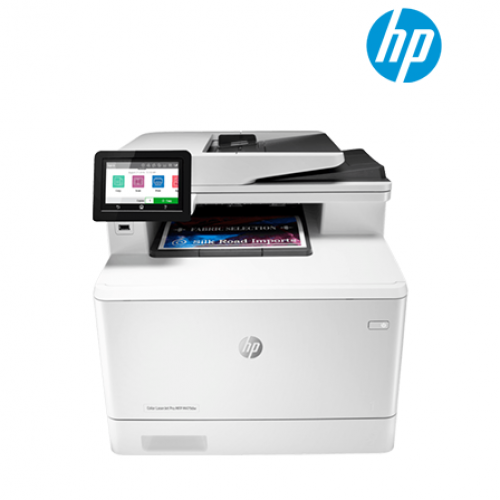
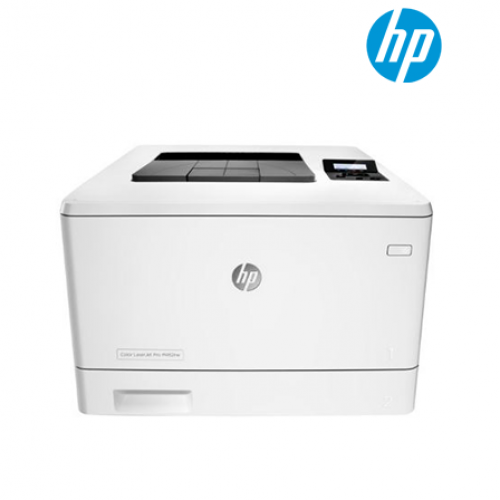
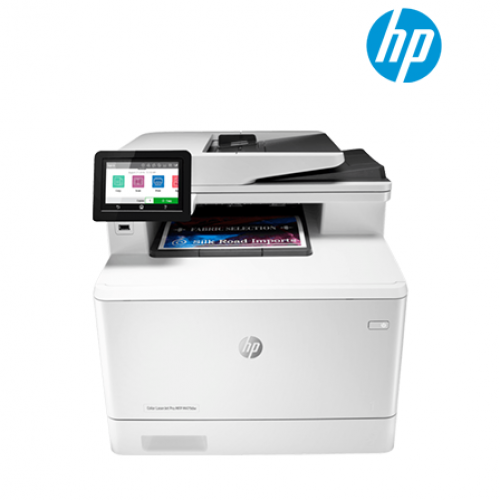
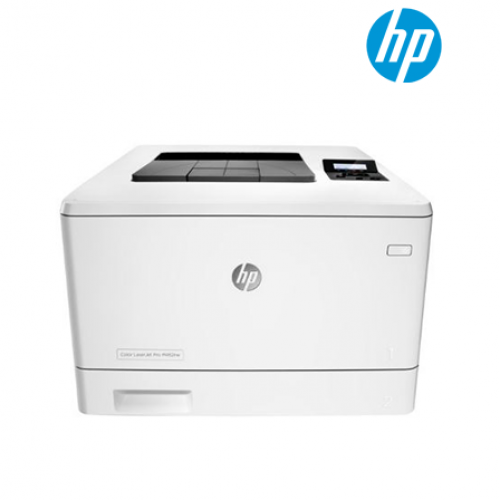
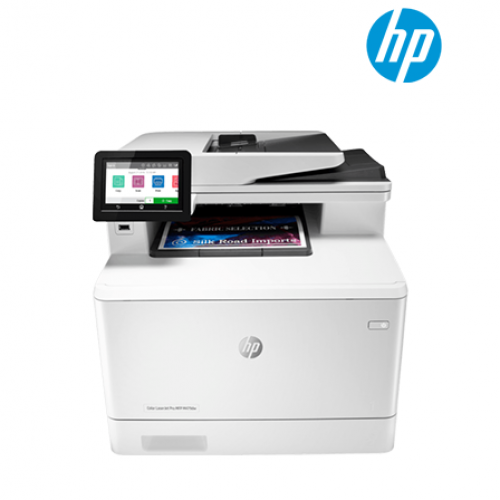
| 型号 |
HP Color Laser Pro MFP M479dw (W1A77A) AIO 打印机 |
| 功能 |
功能
打印、复印、扫描、传真、电子邮件 |
| 打印规格 |
Print speed black (ISO, A4)
Up to 27 ppm9
Print Speed Color (ISO)
Up to 27 ppm9
Print speed duplex (A4)
Up to 24 ipm
Print speed duplex (A4)
Up to 24 ipm
First page out black (A4, ready)
As fast as 9.7 sec
First page out color (A4, ready)
As fast as 11.3 sec
Duty cycle (monthly, A4)
Up to 50,000 pages12
Recommended monthly page volume
750 to 400013
Number of users
3-10 Users
Print technology
Laser
Print quality black (best)
600 x 600 dpi, Up to 38, 400 x 600 enhanced dpi
Print quality color (best)
600 x 600 dpi, Up to 38, 400 x 600 enhanced dpi
Processor speed
1200 MHz
Print languages
HP PCL 6, HP PCL 5c, HP postscript level 3 emulation, PDF, URF, Native Office, PWG Raster
Display
4.3" intuitive touchscreen Color Graphic Display (CGD)
Print colors
Yes
Number of print cartridges
4 (1 each black, cyan, magenta, yellow)
Automatic paper sensor
No
Mac compatible
Yes
Printer Management
HP Printer Assistant; HP Utility (Mac); HP Device Toolbox; HP Web JetAdmin Software; HP JetAdvantage Security Manager; HP SNMP Proxy Agent; HP WS Pro Proxy Agent; Printer Administrator Resource Kit for HP Universal Print Driver (Driver Configuration Utility - Driver Deployment Utility - Managed Printing Administrator)
Security management
Secure Boot, Secure Firmware Integrity, Runtime Code Integrity, password protected EWS, secure browsing via SSL/TLS 1.0, TLS 1.1, TLS 1.2; IPP over TLS; Network: enable/disable network ports and features, unused protocol and service disablement, SNMPv1, SNMPv2, and SNMPv3, community password change; HP ePrint: HTTPS with certificate validation, HTTP Basic Access Authentication, SASL authentication; LDAP authentication and authorization; Firewall and ACL; control panel lock, certificates configuration, UPD PIN printing, Syslog, signed firmware, administrator settings, access control, 802.1x authentication (EAP-TLS, and PEAP), authentication via WEP, WPA/WPA2 Personal, WPA2-enterprise; encryption via AES or TKIP; Encrypted data storage; Secure data erase; Automatic firmware updates; Secure Encrypted Print via optional job storage, compatible with optional HP JetAdvantage Security Manager, IPPS
Fonts and typefaces84 scalable TrueType fonts |
| 连接选项 |
Mobile printing capability
Apple AirPrint™; Google Cloud Print™; HP ePrint; HP Smart App; Mobile Apps; Mopria™ Certified; Wi-Fi® Direct Printing; Roam capable for easy printing6
Wireless capability
Yes, built-in dual-band Wi-Fi; Authentication via WEP, WPA/WPA2, WPA Enterprise; Encryption via AES or TKIP; WPS; Wi-Fi Direct; Bluetooth Low-Energy
Connectivity, standard
1 Hi-Speed USB 2.0 port; 1 host USB at rear side; built-in Gigabit Ethernet 10/100/1000 Base-TX network port; 1 Wireless 802.11b/g/n/2.4/5 Ghz Wi-Fi radio
Minimum System Requirements
2 GB available hard disk space, Internet connection, USB port, Internet browser. For additional OS hardware requirements see microsoft.com
Minimum System Requirements for Macintosh
2 GB available hard drive space, Internet connection or USB port, OS hardware requirements see apple.com
Compatible Operating Systems
Windows Client OS (32/64 bit), Win10, Win8.1, Win 8 Basic, Win8 Pro, Win8 Enterprise, Win8 Enterprise N, Win7 Starter Edition SP1, UPD Win7 Ultimate, Mobile OS, iOS, Android, Mac, Apple® macOS Sierra v10.12, Apple® macOS High Sierra v10.13, Apple® macOS Mojave v10.14, Discrete PCL6 Printer Driver, For more information on the supported operating systems go to http://support.hp.com, Enter your product name and search, Click on User Guides and enter your product name and search for User Guide, Search for your (Product Name) User Guide, Search for the Supported Operating Systems section, UPD PCL6 / PS Printer Drivers, Supported Operating systems, For more information on the supported operating systems see www.hp.com/go/upd
Compatible Network Operating Systems
Windows Server 2008 R2 64-bit, Windows Server 2008 R2 64-bit (SP1), Windows Server 2012 64-bit, Windows Server 2012 R2 64-bit, Windows Server 2016 64-bit, Failover Cluster 2008 R2, Failover Cluster 2012 R2, Terminal server 2008 R2, Remote Desktop server 2012 R2, Citrix Server 6.5, Citrix xenApp & xenDesktop 7.6, Novell iPrint server, Citrix Ready Kit Certification - Up to Citrix Server 7.18 for more information see http://citrixready.citrix.com, Linux- For more information see http://developers.hp.com/hp-linux-imaging-and-printing, Unix- For more information see http://hp.com/go/unixmodelscripts, UPD PCL6 / PS Printer Drivers, Supported for Compatible Network Operating systems please see http://hp.com/go/upd |
| 内存规格 |
内存
512 MB NAND Flash、512 MB DRAM
最大内存
512 MB NAND Flash、512 MB DRAM |
| 纸张处理 |
进纸容量
最多300张
最大进纸容量(张数)
最多850张(配合选配550张纸盘)
纸张处理输出,标准
150张出纸仓
出纸容量
最多150张
最大出纸容量(张数)
最多150张
成品出纸处理
单张进纸
双面打印
自动(默认)
纸盘,标准
2个
纸盘,最多
3个
信封进纸器
无
最大进纸容量(信封)
最多15个信封
支持的纸张尺寸
纸盘1、纸盘2:A4; A5; A6; B5 (JIS); B6 (JIS); 16K (195 x 270 mm, 184 x 260 mm, 197 x 273 mm); 10 x 15 cm; Oficio (216 x 340 mm); 明信片(JIS单面、JIS双面); 信封(DL、C5、B5); 选配纸盘3:A4; A5; A6; B5 (JIS); B6 (JIS); 16K (195 x 270 mm, 184 x 260 mm, 197 x 273 mm); 10 x 15 cm; Oficio (216 x 340 mm); 明信片(JIS单面、JIS双面); 自动双面器:A4; B5; 16K (195 x 270 mm, 184 x 260 mm; 197 x 273 mm); Oficio (216 x 340 mm)
自定义纸张尺寸
纸盘1:76 x 127至216 x 356 mm; 纸盘2、选配纸盘3:100 x 148至216 x 356 mm
纸张类型
纸张(胶版纸、小册子纸、彩色纸、光泽纸、信头纸、相纸、普通纸、预印纸、预打孔纸、再生纸、粗面纸)、明信片、标签纸、信封
支持的纸张重量
纸盘1:60至176 g/m²(明信片和HP彩色激光光泽相纸可达200 g/m²); 纸盘2:60至163 g/m²(明信片可达176 g/m²,HP彩色激光光泽相纸可达200 g/m²); 选配纸盘3:60至163 g/m²(明信片可达176 g/m²,光泽纸最多150 g/m²); 自动双面器:60至163 g/m² |
| 扫描仪 |
Scanner type
Flatbed, ADF
Scan file format
PDF; JPG; TIFF
Scan resolution, opticalUp to 1200 x 1200 dpi
Bit depth30-bit
Scan size, maximum216 x 297 mm
Scan size (ADF), maximum216 x 356 mm
Automatic document feeder capacityStandard, 50 sheets uncurled
Digital sending standard featuresScan to email with LDAP email address lookup, Scan to network folder, Scan to USB, Scan to Microsoft SharePoint®, Scan to computer with software, Quick Sets
Scan speed (normal, A4)Up to 29 ppm (b&w), up to 20 ppm (color)16
Scan input modesFront-panel scan, copy, email, or file buttons; HP Scan software; and user application via TWAIN or WIA |
| 复印 |
复印速度(黑色、普通质量、A4)
最多27 cpm
复印速度(彩色、普通质量、A4)
最多27 cpm
复印分辨率(黑色文字)
最多600 x 600 dpi
复印分辨率(彩色文字和图形)
最多600 x 600 dpi
复印缩小/放大设置
25至400%
复印份数,最多
最多999份
复印机设置
身份证复印; 复印份数; 调整尺寸(包括2合1); 浅/深; 增强功能; 原稿尺寸; 装订边距; 逐份分页; 纸盘选择; 双面; 质量(草稿/普通/最佳); 保存当前设置; 恢复出厂默认值 |
| 电源和操作环境要求 |
电源
110伏输入电压:110至127 VAC(±10%)、60 Hz(±3 Hz); 220伏输入电压:220至240 VAC(±10%)、50/60 Hz(±3 Hz)(非双电压,电源因零件号而异,带#选项代码标识符)
电源类型
内置(内嵌式)电源
耗电量
550瓦(活跃打印)、20瓦(就绪)、0.7瓦(睡眠)、0.7瓦(HP自动关闭/自动启动)、0.06瓦(自动关闭/手动启动)、0.06瓦(关闭)
典型耗电量(TEC)数值能源之星:1.116 kWh/周; 蓝天使:1.084 kWh/周
能源效率能源之星®认证; EPEAT®银奖; CECP; 蓝天使RAL-UZ 205
能源之星®认证
是
工作温度范围
15至30°C
建议工作湿度范围
20至70% RH(非冷凝) |
| 尺寸和重量 |
最小尺寸(宽x深x高)
416 x 472 x 400 mm
最大尺寸(宽x深x高)
426 x 652 x 414 mm
重量
23.3 kg
包装尺寸(宽x深x高)
597 x 497 x 490 mm
包装重量
26.8 kg |
| *价格、功能、包装内容及规格如有变更,恕不另行通知。* |
|