
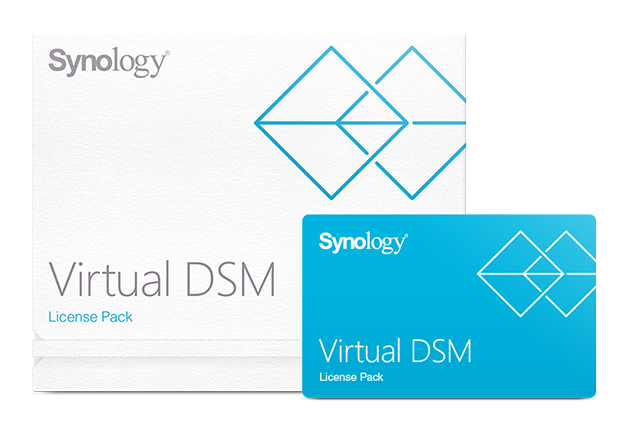
Synology Virtual DSM License
Synology Virtual DSM License - Licensing PlanEach Virtual DSM license pack adds one Virtual DSM instance to Virtual Machine Manager.
- Genuine unit through the authorised channel — manufacturer warranty
- Itemised quotation within 1 working day, B2B invoicing
- Delivery nationwide — installation available for enterprise gear
| License Duration | 3 years |
| Instances Per License | 1 Virtual DSM instance |
| Software Support | 3 years of software upgrades |
Product details
Licensing Plan
Each Virtual DSM license pack adds one Virtual DSM instance to Virtual Machine Manager. A license supports Virtual DSM upgrades within a three-year period.
- This license pack cannot be returned once opened.
- Before purchasing this license pack, check the compatibility of your Synology NAS with Virtual Machine Manager. Learn more about applied models
- This license pack can only be applied to one Synology product at a time.
- This license pack can be used to extend the Virtual DSM upgrade support of an existing instance.
- Each Virtual DSM license entitles you to three years of software upgrades for one Virtual DSM package. You can continue to use Virtual DSM after your license expires, but no updates will be provided. You can extend the upgrade period by activating a new Virtual DSM license key.
Activation and Mapping
In Virtual Machine Manager, go to License > Virtual DSM and click Add. Your Synology NAS must be connected to the Internet when you add the license.
Maximum Virtual DSM Instances
| Model | Max System Memory Installed | Max Virtual DSM Instances (1 vCPU / 1 GB) |
|---|---|---|
| FS6400 | 512 GB (32 GB x 16) | 32 |
| FS3600 | 128 GB (32 GB x 4) | 24 |
| FS3410 | 128 GB (32 GB x 4) | 16 |
| FS2500 | 32 GB (16 GB x 2) | 8 |
| HD6500 | 512 GB (32 GB x 16) | 40 |
| SA3600 | 128 GB (32 GB x 4) | 24 |
| SA3400 | 128 GB (32 GB x 4) | 16 |
| SA6400 | 1024 GB (64 GB x 16) | 24 |
| SA3200D | 64 GB (16 GB x 4) | 8 |
| RS4021xs+ | 64 GB (16 GB x 4) | 16 |
| RS3621xs+ | 64 GB (16 GB x 4) | 16 |
| RS3621RPxs | 64 GB (16 GB x 4) | 12 |
| RS3618xs | 64 GB (16 GB x 4) | 8 |
| RS2821RP+ | 32 GB (16 GB x 2) | 8 |
| RS2421+/RS2421RP+ | 32 GB (16 GB x 2) | 8 |
| RS1619xs+ | 64 GB (16 GB x 4) | 8 |
| RS1221+/RS1221RP+ | 32 GB (16 GB x 2) | 8 |
| RS822+/RS822RP+ | 32 GB (16 GB x 2) | 8 |
| DS3622xs+ | 48 GB (8 GB x 2 + 16 GB x 2) | 12 |
| DS2422+ | 32 GB (16 GB x 2) | 8 |
| DS1821+ | 32 GB (16 GB x 2) | 8 |
| DS1621xs+ | 32 GB (16 GB x 2) | 8 |
| DS1621+ | 32 GB (16 GB x 2) | 8 |
| DS1522+ | 32 GB (16 GB x 2) | 4 |
| DS923+ | 32 GB (16 GB x 2) | 4 |
| DS723+ | 32 GB (16 GB x 2) | 4 |
| DS720+ | 6 GB (2 GB + 4 GB) | 2 |
| DS620slim | 6 GB (2 GB + 4 GB) | 2 |
| DS420+ | 6 GB (2 GB + 4 GB) | 2 |
| DS220+ | 6 GB (2 GB + 4 GB) | 2 |
The specifications vary depending on system configuration and memory size and are for reference only.
Applied Models
- FS series: FS6400, FS3600, FS3400, FS3017, FS2017, FS1018, FS3410, FS2500
- HD series: HD6500
- SA series: SA3600, SA3400, SA6400, SA3200D
- 23 series: DS923+, DS723+
- 22 series: RS822RP+, RS822+, DS3622xs+, DS2422+, DS1522+, DVA1622
- 21 series: RS4021xs+, RS3621xs+, RS3621RPxs, RS2821RP+, RS2421RP+, RS2421+, RS1221RP+, RS1221+, DS1821+, DS1621xs+, DS1621+, DVA3221
- 20 series: RS820RP+, RS820+, DS1520+, DS920+, DS720+, DS620slim, DS420+, DS220+
- 19 series: RS1619xs+, RS1219+, DS2419+II, DS2419+, DS1819+, DS1019+, DVA3219
- 18 series: RS3618xs, RS2818RP+, RS2418RP+, RS2418+, RS818RP+, RS818+, DS3018xs, DS1618+, DS918+, DS718+, DS218+
- 17 series: RS18017xs+, RS4017xs+, RS3617xs+, RS3617RPxs, RS3617xs, DS3617xsII, DS3617xs, DS1817+, DS1517+
- 16 series: RS18016xs+, RS2416RP+, RS2416+, DS916+
- 15 series: RS815RP+, RS815+, RC18015xs+, DS3615xs, DS2415+, DS1815+, DS1515+
- 14 series: RS3614xs+, RS3614RPxs, RS3614xs
- 13 series: RS10613xs+, RS3413xs+
- Delivery & professional installation
- Configuration & commissioning
- Manufacturer warranty handling
- Annual maintenance & managed services (MSP)
Engineering by our services division, Ryzen ESolutions — Synology backup & 3-2-1 architecture →
Talk to the engineers who install this equipment — free sizing advice, no obligation.
Specifications
| Printing & Imaging Specs | |
|---|---|
| License Duration | 3 years |
| Instances Per License | 1 Virtual DSM instance |
| Software Support | 3 years of software upgrades |
You recently viewed
Frequently asked questions
How much does the Synology Virtual DSM License cost?
The reference price is MYR 809.00. Contact us for a formal quotation — project pricing depends on quantity and installation scope.
Is this product available in Malaysia?
Yes — available to order. Supplied and installed nationwide by RYZEN ESOLUTIONS (M) SDN. BHD..
Who manufactures the Synology Virtual DSM License?
It is manufactured by Synology. We supply genuine units with manufacturer warranty.
Do you provide installation and support?
Yes — we design, install, configure and support this product as part of a complete solution. Ask us about maintenance packages.